Scenario UAT Cards
An asynchronous testing method that makes AI usability testing engaging. The tool does double duty: it guides testers and captures what they think in the moment.
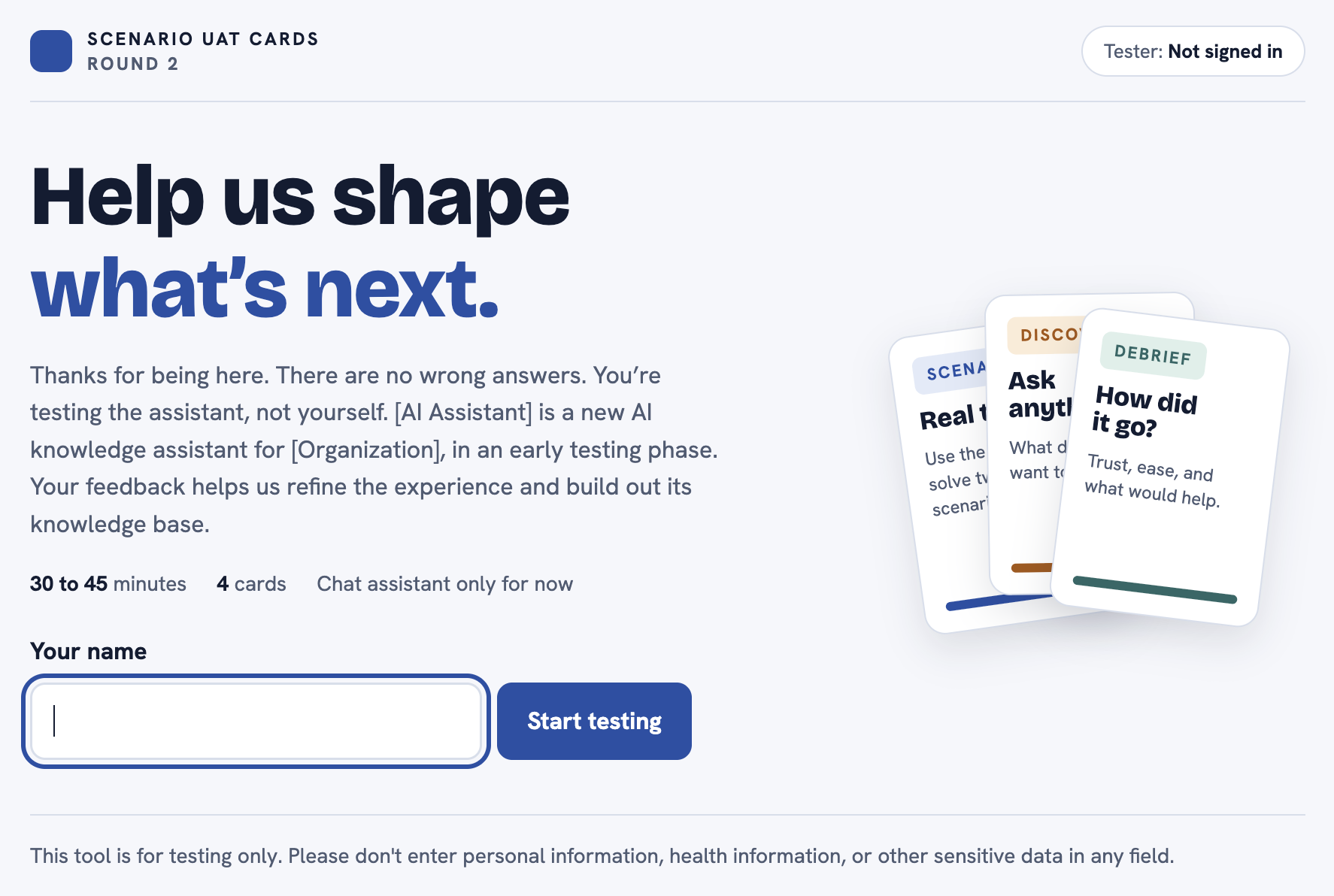
Tailoring the scenarios enabled testing of numerous topics with different user groups, offering insight into response quality, drift, and data gaps.
Project facts
Role: Inventor, designer, and hands-on builder
Context: User acceptance testing for an AI knowledge assistant
Built with: Claude, HTML hosted within the dev environment
Scale: Designed to grow from 10 testers to 100+
Year: 2026
The challenge
Scaling comprehensive user testing for AI assistants that don't give the same answer twice required a unique testing method.
We also had three practical problems:
Surveys after a session miss the moment. By the time people fill them out, they've forgotten what surprised or confused them.
Facilitated sessions don't scale. We needed to grow from a handful of testers to more than 100.
We needed testing to tell us what to build next, not just whether the responses and citations were good.
We needed to guide the testers, without influencing the natural language they used to query the AI.
My role
I led user research and UAT for the assistant from start to finish. I designed the method, built the tool myself with Claude, wrote the test plan and facilitator scripts, facilitated the initial on-call sessions, compiled the synthesis, and turned the results into stories for the dev and data teams.
The Approach and Process
A new testing philosophy for AI
I replaced pass/fail with a rubric judged by people. Each response is scored on six dimensions:
Relevance, Groundedness, Citation accuracy, Completeness, Tone and format, Graceful failure
Before any testers joined, the internal team ran a full dry run to calibrate the rubric together, including red-teaming.
Scenarios instead of surveys
Testers work through the cards, open in one window while they test the assistant in another.
Scenario cards give them realistic tasks, built from a gold set of questions, responses, and deep-linked citations I defined. They also capture time-saved metrics. In every scenario, testers rate their trust from 1 to 5, pick a reaction, and say whether they checked the source.
The Discovery card asks what they really want to know, and where they'd normally go to find it. When the assistant can't answer, that gap tells us what to add next.
The Debrief card gives us insight into overall trust, ease of use, tone, and how likely they are to use it in their daily work.
Built to scale
Scenarios built around topic areas that can be tested with small groups of 10 or larger cohorts of 100 or more.
The feedback is collected in a data table that is used to conduct analysis on the results.
Building it
I prototyped the scenario cards with Claude, then worked with our dev team to deploy them in our environment. The testers open the cards in a window right beside the AI assistant. The cards are both the guide and the capture tool. Our developers built a backend table so I could download every response, synthesize it, and turn it into usability and experience actions and Jira tickets for the dev and data teams.
Note: For this portfolio, I rebuilt the tool as Scenario UAT Cards with placeholder content. It passed automated WCAG 2.1 AA testing,.
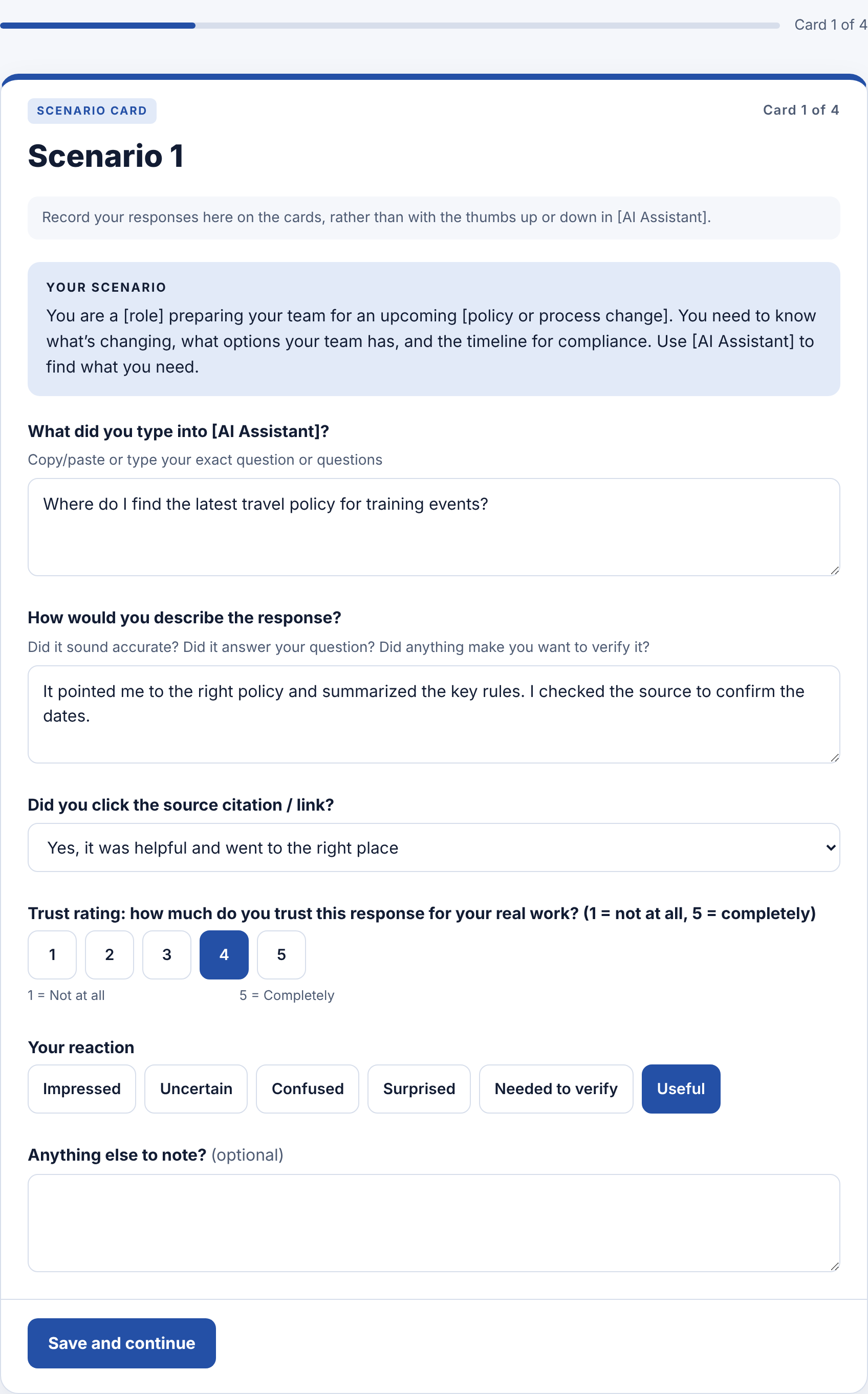
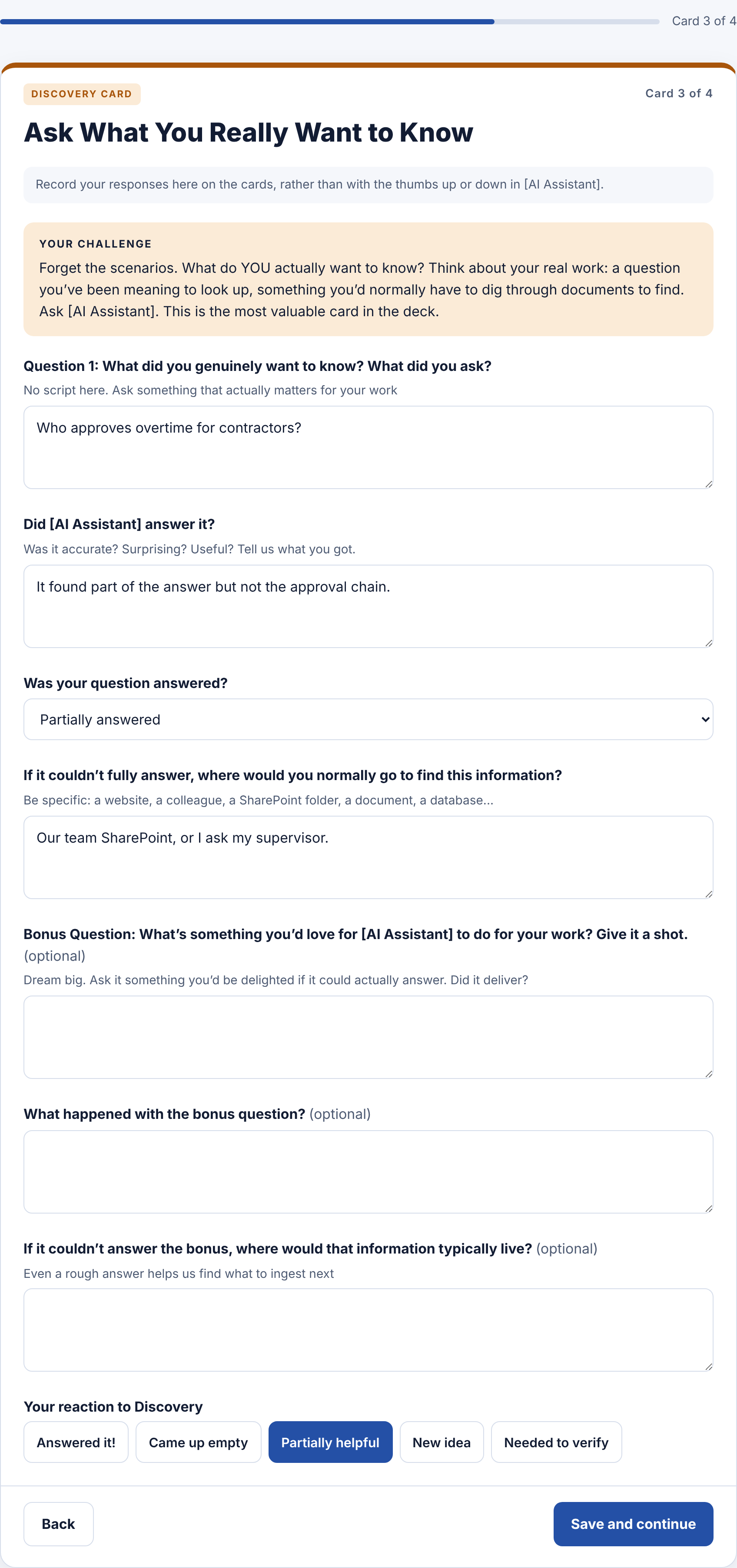
Scenario and discovery pages allow for copy/paste from the AI assistant responses.
How we measured it
Response quality: the six-dimension rubric, scored by the team against the gold answers
Trust: 1 to 5 for every scenario and overall
Time Saved: each scenario asks how much, if any, time was saved completing the scenario with the AI Assistant.
Coverage: whether each discovery question was answered, and where people would otherwise look (data gaps)
Adoption signals: ease of use and likelihood of daily use
The why: testers' own words, captured in real time and synthesized into actions.
Outcome
More engaging than a survey: testers worked through realistic scenarios and gave feedback during testing, saving time and the need for recall.
Built to scale: the tool supports async rounds of hundreds of testers
Feedback to fixes: results flowed into a downloadable table, then into usability actions and Jira tickets for the dev and data teams.
Testing that guides the roadmap: Discovery questions showed what to ingest next, and what users found valuable
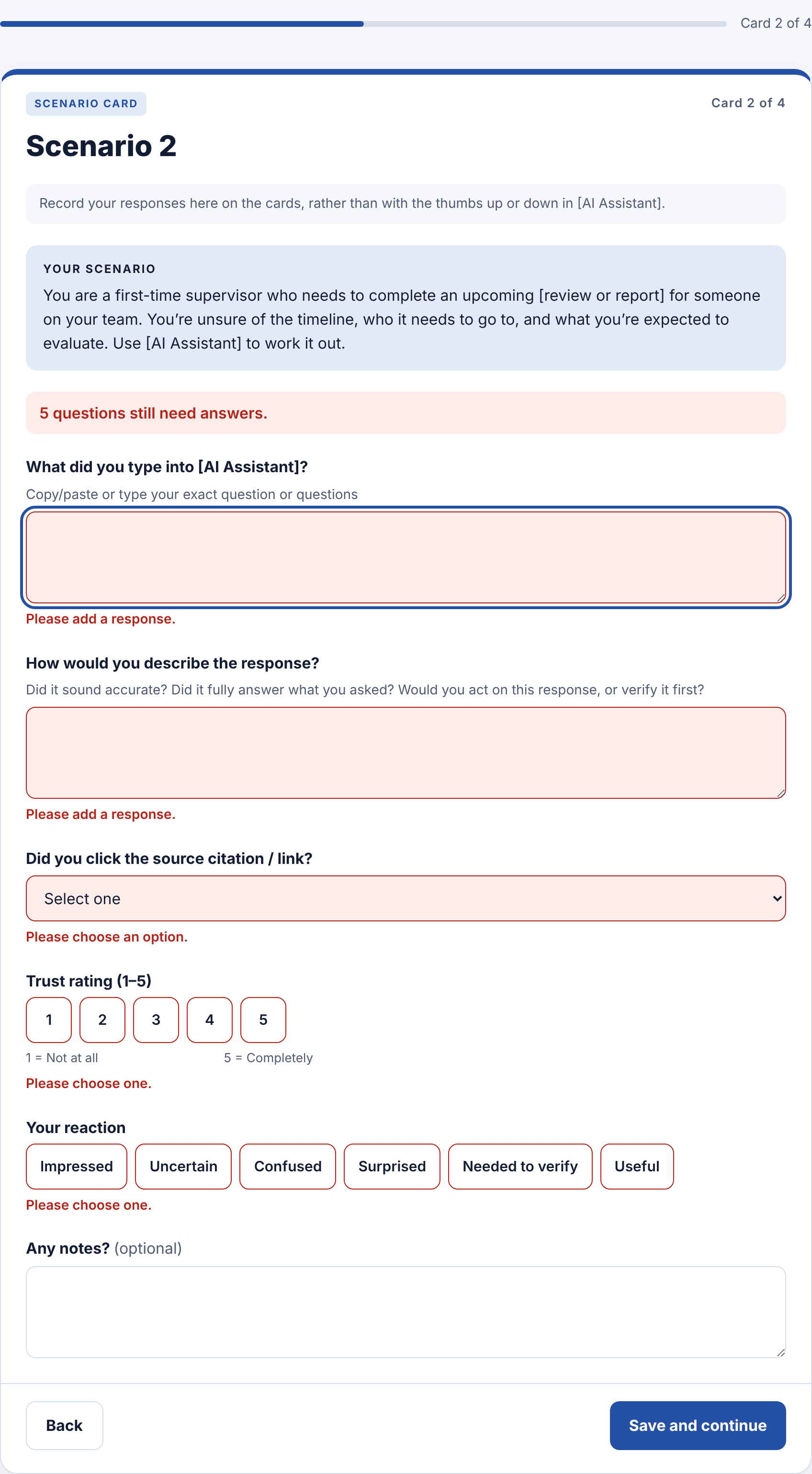
Accessible error messages show testers exactly what’s missing
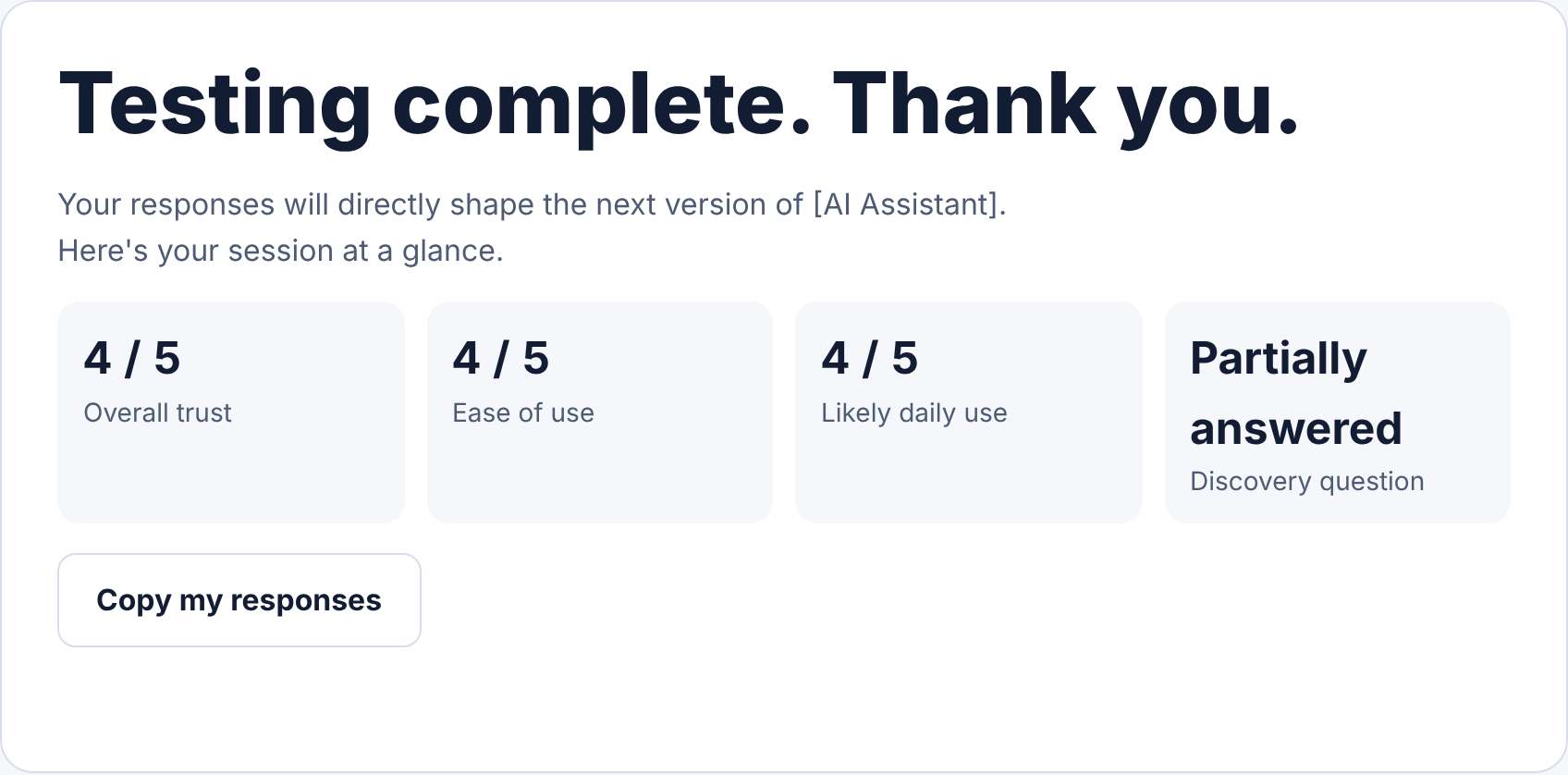
Summary of results and complete response copy available to the testers